
Setting Up Leveling Multipliers
Learn how to boost XP rewards in specific channels or for members with certain roles, shaping your server's leveling experience
Why Would You Need This?
With Lurkr you are in complete control how fast or slow each one of your members can gain levels in your server! Multipliers are the extremely in-depth solution to rewarding certain roles or channels, punishing others, setting pace of the entire leveling system and more!
Make sure you have leveling set up
Before following this guide, please make sure that you have correctly set up leveling in your server already. If you need guidance in doing so, please follow our Setting Up Server Leveling guide.
Understanding Multipliers
Multipliers might take some getting used to, but don't worry! That's what this guide is for! Multipliers essentially
take the amount of XP a user would normally receive for a valid message, and multiply it by however much the multiplier
is set to. For example if a user gains 34 XP for one message, but the server has a global multiplier of x1.5, they
will actually receive 51 XP.
However, multipliers can also be set below 1, meaning a multiplier of x0.5 is valid, but that does signify a 50% XP gain, but rather a 50% XP loss. Any multiplier that is above 1 will give more XP, and any multiplier that is below 1 will take away XP.
If you prefer to think in percentages; a multiplier of x1.5 equals a 150% XP gain, and a multiplier of x3.4 equals a 340% XP gain.
Understanding the Hierarchy
Lurkr supports three types of multipliers: global, channel, and role. When a user sends a message, at most one multiplier of each type can apply. These multipliers stack by multiplication, meaning the final XP gained is:
gained_xp × global_multiplier × channel_multiplier × role_multiplier
If a multiplier type has no active value, it defaults to x1 (no effect).
How Each Type Is Resolved
- Global multiplier: There is only one global multiplier for the entire server. If set, it always applies.
- Channel multiplier: If the message is sent in a channel that has a multiplier, that multiplier is used. If multiple channel multipliers could apply, the one with the highest value is used.
- Role multiplier: If a user has multiple roles with multipliers, by default the role with the highest multiplier value is used. This behaviour can be changed — see Changing Role Multiplier Hierarchy.
Example
Let's say we have these multipliers configured:
| Multiplier | Type | Application |
|---|---|---|
| x1.1 | Global | Everywhere |
| x1.5 | Channel | #Channel-A |
| x0.75 | Channel | #Channel-B |
| x2.0 | Role | @Booster |
A user with the @Booster role sends a message and would normally gain 34 XP. Here is what happens in each channel:
- #Channel-A:
34 × 1.1 × 1.5 × 2.0 ≈ 112 XP— all three multiplier types stack. - #Channel-B:
34 × 1.1 × 0.75 × 2.0 ≈ 56 XP— the channel multiplier is below 1, but it still stacks with the others. - #Channel-C (no channel multiplier):
34 × 1.1 × 2.0 ≈ 74 XP— only global and role multipliers apply.
Important to Remember!
Multipliers of different types (global, channel, role) stack with each other by multiplication. Within the same type, only the single highest-priority multiplier is used.
The final XP value is always rounded down (floored), and the minimum XP gain per message is 1 — even if multipliers would reduce it below 1.
Setting Global Multipliers
Global multipliers, as the name suggests, apply to the entire server regardless of role, channel, permissions, etc. They
can be useful when you want to regulate the total leveling gain on your server, for example if you find that your
members are gaining levels a bit too quickly, introducing a global multiplier that is less than 1 will lower the amount
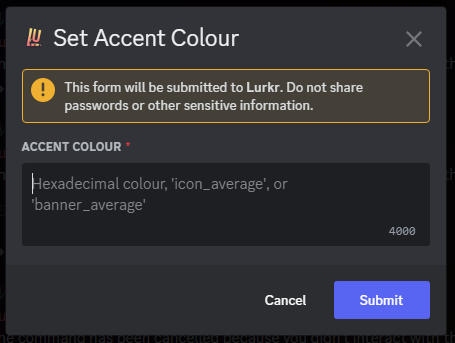
of levels gained globally. To add a global multiplier, use the /config set command for global multiplier.
A modal-box will then appear, in which you can then enter the global multiplier you want to assign.
Previously, the only way to match another bot's leveling curve was to use a global multiplier. Now Lurkr supports custom XP curves with built-in presets for popular bots! Check out the XP Curve section for details.
Setting Channel Multipliers
Channel multipliers allow you to set multipliers on a per-channel basis.
They also let you set multiple channels to the same multiplier, or set different multipliers for several channels!
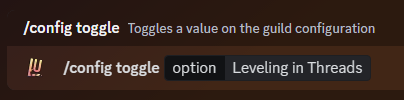
To add a channel multiplier, head to the Lurkr Dashboard and configure them in the Leveling section. You can set as many channels as your current server plan will allow. You can check the limits on the Premium Perks page!

A modal-box will then appear, in which you can then enter the channel multiplier you want to assign.
Setting Role Multipliers
Role multipliers work in much the same way as channel multipliers.
You can assign numerous roles to the same multiplier, or create different multipliers for different roles!
To add a role multiplier, head to the Lurkr Dashboard and configure them in the Leveling section. You can set as many roles as your current server plan will allow. You can check the limits on the Premium Perks page!
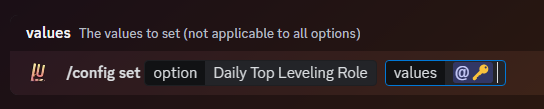
A modal-box will then appear, in which you can then enter the role multiplier you want to assign.
Changing Role Multiplier Hierarchy
If you haven't read how the regular multiplier hierarchy works, please read that section first.
Role hierarchy by default is managed in the exact same way as all other multipliers; the highest applicable multiplier will be used regardless of the role hierarchy.
However, you can change the prioritization of which multiplier is used by toggling it in the configuration.
If you do so, the highest role that a user has that also has a multiplier attached to it will be used, even if a lower ranking role has a higher multiplier.
Let's Show An Example
Because this feature might be a little too complex to explain in words, here we have two role multipliers setups.
This first setup has the checkmark on the higher multiplier even though it is lower in terms of the role hierarchy. This is the default behaviour!
This second setup has the checkmark on the higher role even though it has a lower multiplier compared to the other. This is the behaviour when you toggle this feature.
Be Careful!
This only applies to situations where one user has 2 roles at the same time that both have a multiplier applied to them!
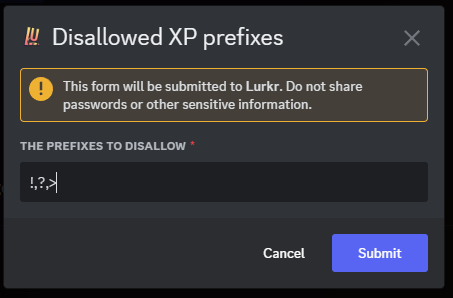
To toggle role hierarchy prioritization, use the /config toggle command for role hierarchy.
Toggling Vote Boosting Leveling
Voting helps us get Lurkr seen by lots more people! To help incentivize people to vote for Lurkr we give everyone who voted a 12 hour multiplier that is applied globally across all servers.
This boost is 20%, so the equivalent of a 1.2x Multiplier.
Unlike other bots, it is completely free to turn this boost off for you, however if you like what we're doing and can't support us directly with Lurkr Max or Lurkr Ultimate, we would appreciate you leaving this featured turned on!
To toggle vote boosting leveling, use the /config toggle command for vote boosting.
Final Words
And that's it! You've successfully learned how to use leveling Multipliers in Lurkr!
If you need any more assistance with Lurkr, check out the rest of this documentation or join our support server to talk to an actual human!
Learn more about troubleshooting.
Last updated on